
Blues · Full screen
Blues, across the whole window.
The full AI mode.
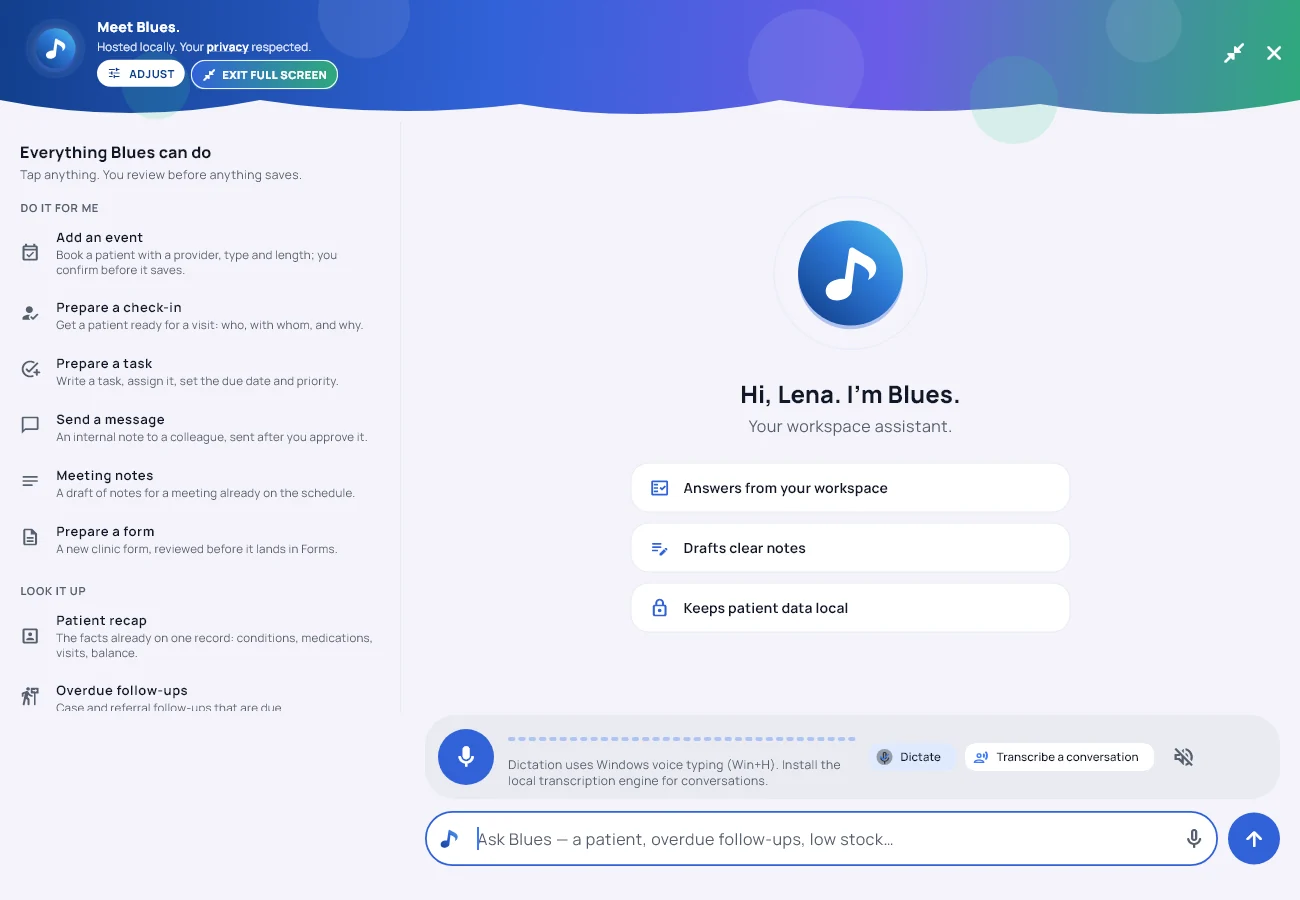
One button in the Blues panel opens it over everything: on the left, every single thing Blues can do, each one a tap away; on the right, the conversation with room to breathe; underneath, a microphone. Talk, and Blues types it and does it. All of it on the computer in front of you.
- Everything, listed. Do it for me, look it up, write with me, show me where, ask me about — five groups, every entry works.
- Hands free. Dictate a request, or transcribe a whole conversation into a draft.
- Still in the building. Speech is turned into text on your own machine, and the audio is deleted the moment the words are back.
The left side
Everything Blues can do, where you can see it.
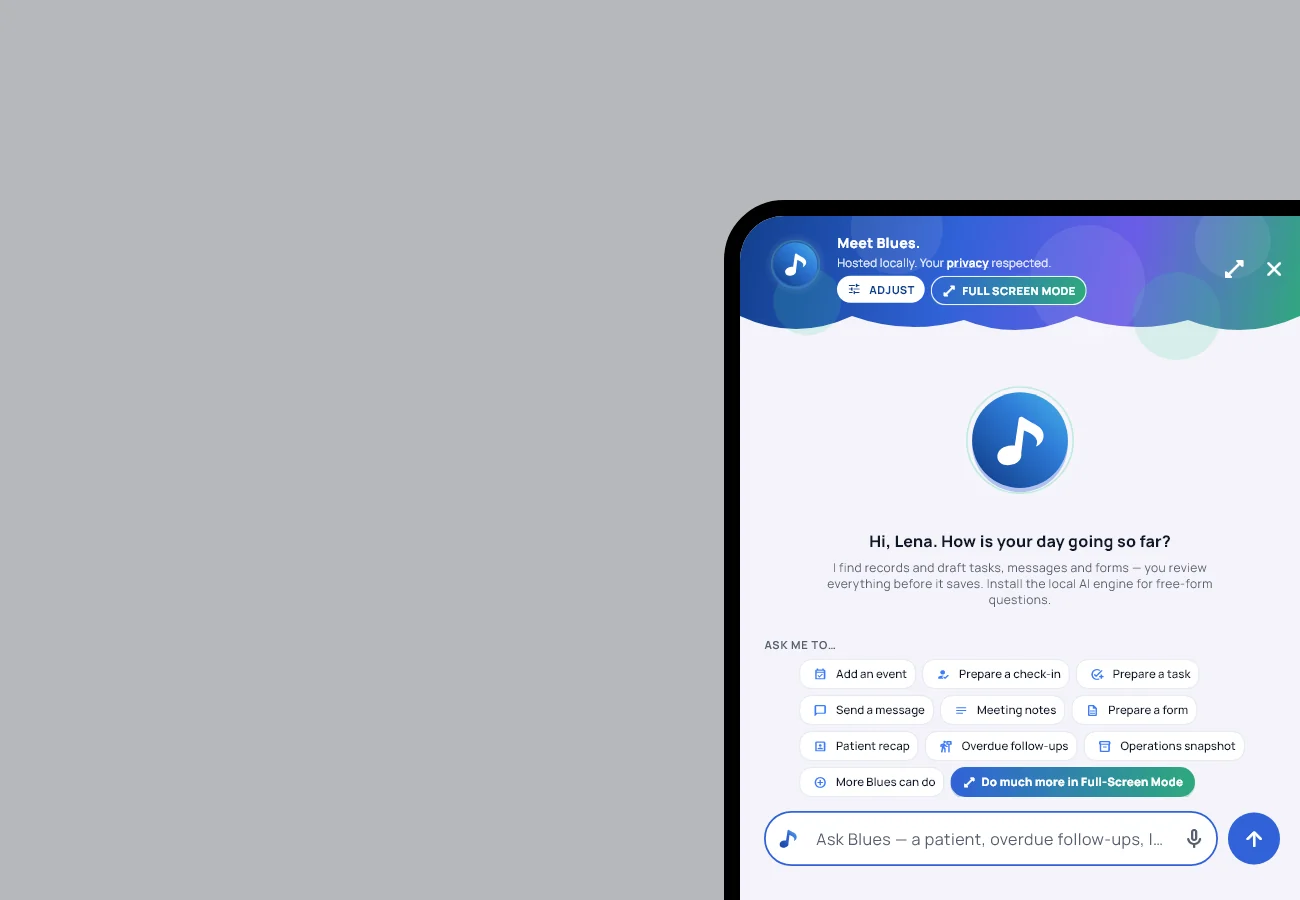
In the corner panel Blues offers nine chips and a “more” list. In full screen the whole catalogue is laid out, in the order a clinic’s day runs, and every card does the thing when tapped:
- Do it for me. Add an event, prepare a check-in, prepare a task, send a message, draft meeting notes, prepare a form. Each one is prepared for you to confirm; nothing saves on its own.
- Look it up. A patient recap from what is already on the record, overdue follow-ups, the operations snapshot, a record search, what your plan includes.
- Write with me. Explain a billing code in plain words, translate for a patient, draft a patient message, summarize your day.
- Show me where. Every menu path in the app, answered instantly from the app’s own map — no model needed, and never a made-up path.
- Ask me about. Every feature, one tap each, answered from the facts the app ships with.

The microphone
Talk. Blues types it, then does it.
The bar under the conversation has two settings and a switch.
- Dictate. Tap the microphone, say what you want, tap stop. Blues writes it into the ask box and runs it: find a record, draft a message, prepare a task, answer a question. Busy days can run on this alone.
- Transcribe a conversation. Record until you tap stop. The draft transcript lands in the conversation, labelled unverified, because speech recognition misreads names, doses and numbers as fluently as it gets them right. From there, one button files it into a patient’s record as a draft document — behind the same consent check the visit recorder uses.
- Read answers aloud. A switch. Blues reads its replies with your computer’s own voice. Off until you turn it on.
Speech becomes text on your own computer, with the local transcription engine the app installs beside its assistant. No engine yet? Dictate falls back to Windows voice typing, which is still hands free and still on your machine.
Getting there
Two ways in, one way back.
Open Blues from the corner and press Full Screen Mode in its header, or the Do much more in Full-Screen Mode chip under the conversation. The same button brings it back to the corner, and the conversation comes with it.
It needs a window at least 980 pixels wide. On a phone or a narrow window, Blues stays in its corner and keeps everything it can do behind the “more” list.
Getting it
Included with Blues, on every plan.
Full screen is part of Blues, and Blues is on every plan from $50 a month. Nothing to add, nothing to turn on, nothing charged by the minute.
See the plans Meet Blues →