
Feature catalog
Every feature, written down.
The complete list of what LogBlues (practice management and EHR | EMR) does. Click any feature for what it actually does day to day. If something is not on this page, it is not in the product — we would rather you find that out here than three weeks in.
This page describes what the software does today, not what is planned. If another page mentions something that is not finished, you will see Not yet here, along with what is still missing. When two pages seem to disagree, use this list as the current answer.
LogBlues
Patients and clinical care
The record itself, and everything that hangs off it.
Patient records
Demographics, contact details, pronouns, allergies, medications, conditions, insurance and the provider responsible. Every patient has a stable ID that the rest of the app refers to, so a name change never orphans a chart.
The patient view carries a full timeline: visits, results, procedures, medications, files, messages, payments, case updates and referrals, in one column, newest first.
Patient intake forms in English or Spanish
Send intake forms with your company letterhead in English or Spanish by email or text. Patients open the secure link on their phone and complete their details, medical history and consent forms before their visit.
Choose the form language when sending. Completed forms return to the clinic for staff to review before creating a patient chart or matching an existing record — less paperwork at check-in, with the patient answering in the language they prefer.
Visits and clinical notes
Symptoms, vitals, the note and the recommendation, written while you are still in the room. The note attaches to that visit and stays editable afterwards.
Roles decide who reaches which parts of the workspace — a front-desk login does not get the clinical surfaces on its dashboard. Note-level gating inside an open chart is on the roadmap, not shipped.
Doctor’s notes and letters
Work notes, school notes, activity restrictions and return-to-work notes, generated from the visit using wording the app supplies rather than a document you maintain yourself. They save to the patient record and come out in an export. Printing on clinic letterhead is not wired up yet — that is the Forms module today.
Medications
Current medications on the record, visible from the chart and the visit, and included when you export or share a record.
Tests and results
Results recorded against the patient timeline. Protected results sit behind an identity check — verified once and held for fifteen minutes, so working through a stack of results does not mean re-authenticating for every one.
Procedures and coding
A specialty procedure reference you search by name, category or code, with the CPT, HCPCS, ICD-10-CM, modifier and revenue codes for common procedures shown alongside each one — so coding happens where the work is, not in a separate program afterwards. Anything uncommon is flagged for you to verify rather than guessed at.
Cases
A case is a thread that outlives a single visit — a specialist coordination, an investigation, a treatment plan. Each has a lead, assigned providers, a status and a priority.
The sections of a case: overview, patient issues, symptoms, diagnostics, medications, tests, images and files, referrals, care plan, patient notes, team discussion and timeline. Hide the ones your specialty does not use.
Referrals
Outbound referrals tracked to a person rather than a folder. An open referral that goes quiet comes back as a follow-up instead of being forgotten.
LogBlues
Running the day
Scheduling, check-in, the front desk, and the things that chase themselves.
Scheduling
Day, week and list views in one calendar, with a provider board for seeing the whole team at once. Book from the schedule, from the patient’s chart, or by clicking a day on the dashboard — it is the same appointment.
Meetings are scheduled the same way appointments are, with their own attendees and notes, so team time and patient time live in one calendar.
Patient flow
Name your rooms once, with a room number and a floor if you have them, or build your clinic by dragging sample rooms for your specialty. From then on check-in asks for a room, the dashboard card shows who is in the building and where, and Move to… is the one tap a nurse needs.
At twenty minutes of waiting a row says Delayed. The day’s report shows, per room, how many patients came through, how long they waited and how long they were in the room.
Check-in
One press from the schedule. Check-in opens with the patient’s standing concern pre-filled, along with their provider, insurance and how they prefer to be contacted, and starts the visit rather than leaving it as a separate step somebody forgets.
Tasks
Owner, due date and priority, one line each. Critical work looks different from routine work, and completed work stays crossed off until you sweep it.
Assigning a task notifies the person it lands on. Re-saving a task without changing the owner does not notify again, so editing a due date never spams somebody.
Reminders
Each appointment carries its own reminder days — seven, three and one day ahead unless you change them. On each of those days the staff on that appointment get an internal message in LogBlues, and the front desk gets one task listing every reminder due that day. LogBlues does not text or email the patient.
Automations
Ten rules watch the workspace on a clock: appointment reminders, case follow-ups, referral follow-ups, a recurring operations review, inventory reorder points, purchase approvals, approved orders with no vendor, equipment service and safety checks, overdue-work notices, and the week’s patient birthdays. Nine are on out of the box; birthdays wait until a clinic turns them on.
A rule writes a task with a name, an owner and a due date, and never writes the same one twice. Reorders and purchase approvals propose instead: they wait for a person.
Team messages
Direct messages between staff, whole-team announcements, and whole-team chat, in one thread list with unread counts on the sidebar. Reply where the conversation is, rather than in a separate program.
Schedule items can be shared into a message, so “can you take my 2pm” carries the actual appointment rather than a description of it.
Patient names stay out of notification payloads — the notification says there is something to read, and Messages resolves who it is about once you are authorized to see it.
Sending files and records
Attach a file to a message and it travels with the thread, previewable in place. Export a record or a packet of results as a PDF from the patient’s chart, or hand it to your mail app as a draft with the recipient, subject and body already written — you attach the file in that last step rather than us.
Outbound patient email goes through an explicit approval step every time. Nothing addressed to a patient leaves the building because a rule fired.
Notifications
One place for what needs you: new messages, assigned tasks, results to review, schedule reminders and case updates. Read and unread are tracked per person, so your list is yours.
Dashboard
Today at a glance — who is coming, what is outstanding, what needs attention. Every card reads live from the workspace; none of them show placeholder content.
Choose which cards appear and drag them into the order you want. Cards a role may not see are not offered — a front-desk login is not shown the clinical ones. Each person’s layout is their own, saved with their sign-in.
Global search
One search across patients, staff, cases, tasks, files, referrals and pages. Results respect your role, so search never reveals something a screen would not.
LogBlues
Files, forms and imaging
Everything the practice receives, scans or sends out.
Files and imaging
PDFs, images, scans, documents, spreadsheets, lab results, X-rays, DICOM studies, NIfTI volumes and 3D models, filed against the right patient and searchable by type, patient or folder.
In-app preview for PDFs, images and text, so opening a result does not mean opening another program.
Scanning
Press Scan and the app drives the scanner on your desk through your own driver. On a phone the camera does the same job. The result lands on the right patient, filed where you put it.
Protected results and unlocking them
Sensitive results stay obscured until you verify — either with a one-time code sent to your account, or with Windows Hello or the device’s biometric check. There is no shared unlock code, and if verification fails the result stays covered rather than falling open.
Verifying with the device covers the next fifteen minutes and then expires on its own, so working through a stack of results is not fifteen prompts. Verifying with an emailed code currently holds for the rest of the session instead — on a shared workstation, sign out rather than walk away. An administrator can also switch re-verification off for the whole clinic in Settings.
Every unlock is written to the audit trail with who, what and when.
Custom forms
Build a form from your own fields, grouped into your own categories. Intake, consent, history, screening, discharge — whatever your specialty actually hands people.
Live preview as you build, so you see the printed page rather than a field list. Export to PDF or print it.
Templates for your specialty are loaded at setup, so you start by editing something rather than facing an empty screen. Upload an existing form and keep it alongside the ones you build.
Send a form to a patient’s phone
LogBlues writes the message and the protected link; send it from your own texting or email app, and the patient fills the form in on their own phone, one question at a time, at their kitchen table rather than on a clipboard in your waiting room. The answers arrive on their record. Nothing is scanned afterwards and nobody at the desk retypes a stranger’s handwriting.
The link opens only once the patient enters their date of birth, and that is deliberately not in the message — so a text read over a shoulder on a train, or forwarded to the wrong person, is not enough to open anything. The message itself names your clinic and nothing else: not the patient, not the form, not why they are coming. The link works once, and the moment the form is submitted it is spent.
LogBlues will not text a patient who has not agreed to be texted, or email one who has not agreed to be emailed. That consent is recorded on the record, with the date, and the send is refused without it rather than left to whoever is at the desk to remember.
Patients who would rather not, or who do not have a smartphone, are handed the same form on paper on your own letterhead. Nobody is turned away for not owning a phone.
Letterhead and clinic branding
Your logo, clinic details and footer applied to the forms you print or export. Set once in Settings, under Clinic profile.
LogBlues
The business side
Billing, stock, purchasing and the numbers.
Services and clinic prices
A specialty-aware list of what the clinic provides, with an editable price, default units and a separately reviewed CPT or HCPCS code. New workspaces start with market estimates copied from their Procedure catalog and clearly marked as placeholders until an Owner or Admin reviews them.
Select the Services provided while completing a visit and LogBlues prepares one visit-linked draft invoice for Billing. Changing a Service affects future charges without rewriting old invoices.
Billing and invoices
Raise an invoice with as many line items as the visit needs, each with its own CPT or HCPCS code, quantity and price. Save it as a draft or issue it straight away — a draft does not count against the patient until you issue it. Every invoice carries a due date and turns overdue on its own.
Record payments against it by card, cash, check, bank transfer or insurance, in full or in parts, with a reference you can reconcile. The patient balance, the day’s revenue and the outstanding total are all computed from those documents rather than stored separately, so they cannot drift apart. Payments land on the patient’s timeline as they happen.
Cancel an invoice and it is voided rather than deleted: it stays on file and stops counting. A clinic’s books should not lose documents.
Not yet: emailing a payment request with a secure link needs the clinic mail connection, and claims submission through a clearinghouse is not built. Coding, invoicing, payments and balances all work today.
Inventory and stock
Stock levels with reorder points per item and location. When something drops past the point you set, the app raises it rather than waiting for someone to notice an empty shelf.
Equipment
Assets with service schedules and maintenance history, so a due inspection surfaces before it lapses.
Procurement
Purchase orders with an approval trail. Requesting and approving are separate permissions on purpose — a staff member can raise a request without being able to commit the practice’s money.
Vendors
Supplier records with contacts and terms, linked to the purchase orders that use them.
Safety readiness
Facility safety checks tracked with their own schedule and status, alongside the equipment they cover.
Compliance
Policies and procedures in one place, side by side. A policy is the rule your clinic works to; a procedure is the steps somebody follows to carry it out. Keeping them together is the difference between having a policy and following one.
Both are searchable and carry a review cadence, so staff can be pointed at the exact procedure rather than at a binder.
HIPAA compliance
Encryption at rest, access by role, re-authentication on protected screens and a security activity trail — built in from the first release rather than sold as a tier. A Business Associate Agreement is free on request, on any plan.
Your own side of HIPAA is policies, training and how the office runs, and there is a checklist for that rather than a guess.
Credentialing
Every document an insurer asks for, every application sent, and the date each one expires — kept in one place per provider, in Provider Tools, where the provider can see their own file. The eight credentialing steps are tracked per payer, so you can see where each application is sitting.
LogBlues tracks credentialing; it does not file the applications for you. The free guide beside it walks through every step.
Reports
Business reports covering appointments, patients, tasks and billing — filtered by date range, patient or search — computed from live records and exportable to CSV and Excel. Inventory and procurement are not reportable here yet.
LogBlues · Blues
Blues, the assistant
Included on every plan. Runs on the clinic’s own machine.
Local model
Blues runs an open-weights model on the computer in front of you through a local runtime. No API key, no account, no request leaving the building, and no per-message cost. It works with the internet unplugged.
What it can do
Search records, list overdue follow-ups, read the operations position, prepare a check-in, draft a task, draft an appointment, draft an internal message, generate a form and draft meeting notes. Two more are scaffolded and not switched on yet: sending an approved message outside the practice, and retrieving a document on your behalf.
What it cannot do
Blues cannot write to the workspace on its own. Every action is rebuilt by the app from your confirmation, so the model produces text and nothing else.
It is handed your permissions, not more. It does not diagnose or prescribe. And the audit trail records that a tool ran without storing what you typed.
Moods
A register you can set, because the assistant you want at 7am between patients is not the one you want writing to a specialist.
LogBlues · Blues
How Blues handles your information
The question every practice asks second, after what it costs.
Does Blues learn from our patients?
No. The model weights are fixed and never change. There is no training, no fine-tuning and no embedding of your records into a model — not on our servers, and not on yours.
When you ask Blues something, it reads the records on your machine at that moment, answers, and forgets. Ask the same question tomorrow and it reads them again. That is the whole mechanism.
So how does it know about my clinic?
For a lookup — a patient, an overdue follow-up, the stock position — Blues is handed the relevant records at the moment you ask, from the workspace on your own computer, filtered to what your role may see. The knowledge is in your database, not in the model. Open-ended questions are answered without any clinic data attached.
This is why a new clinic gets useful answers on day one without a training period, and why deleting a patient actually removes them from what Blues can tell you.
Where does the conversation go?
It stays on the device, capped, and you can clear it from the assistant itself. The conversation is never uploaded — not to us, and not to a model vendor.
The audit trail records that a tool ran and when. It deliberately does not store your prompt text or the reply, so the audit log never becomes a second copy of the conversation.
What if we turn Blues off?
Everything else keeps working. Blues is a way into the workspace, not a dependency of it. No feature stops functioning because the assistant is not running.
LogBlues
Security and administration
Who can see what, and what happens when something goes wrong.
Roles and permissions
Ten roles from Owner to Read-only, each mapped to a specific set of rights across patients, clinical notes, results, scheduling, tasks, billing, staff, security, integrations, backups, inventory, procurement, reports, cases, forms and automations.
Ten roles across sixteen permission domains decide which screens, dashboard cards and actions a person reaches, and an administrator can subtract further per person. Enforcement is in the app today; the same rules are designed to be re-checked by the backend, which is not the piece that ships first.
Staff management
Invite, edit, archive, restore or remove staff. Each person gets their own role, their own sidebar and their own notifications.
LMLSE security framework
The security architecture behind LogBlues: device checks, AES-256-GCM encryption of the whole local record store with the key in OS secure storage, role-based access across the workspace, re-authentication before results flagged sensitive, and a security log. It is a framework we built, not a certification anyone issued us.
Covered properly on the security page rather than repeated everywhere.
Audit trail
Exports, backups, protected-result verifications and security-policy changes are written to a security log you can read on the Security screen. It is a session log today — it is not yet persisted across restarts, and it does not yet cover sign-in, record access, deletes or permission changes. A durable, append-only trail covering all of those is the next piece of work on it.
Backup and restore
Encrypted local export and import, with the export protected by AES-256-GCM and a key derived through 210,000 rounds of PBKDF2. Patients, appointments and tasks archive and restore rather than delete, so an accident is undone rather than mourned.
Not yet: cloud backup is not connected, and restoring an encrypted backup over live records is preview-only. Both are named as Premium features on the pricing page and neither ships today.
Accessibility
Text size, contrast, reduced motion and keyboard support, with the settings in one place rather than scattered through the app.
LogBlues
Making it yours
Setup, appearance and the parts you arrange.
Guided setup
Nine short screens — welcome, your practice, the type of care you give, your tools, your home screen, your team, your records, your plan, and a last check before you begin — and the workspace assembles itself: modules suggested from your specialty, forms for it already loaded.
Modules by specialty
Fifteen modules you switch on or off: schedule, patients, clinical notes, medications, tests and results, procedures, files, tasks, billing, team, cases, inventory, tools, security and reports. A dental office and a rehab clinic should not get the same screens.
Themes
Twenty-one themes, and every one of them comes with every plan, the Founders Edition included. Light and dark throughout, with clinical text kept readable on every one.
Languages
The whole program reads in the language the practice chooses — menus, the schedule, the chart, printed documents and invoices. A Spanish-speaking front desk gets a Spanish invoice and a Spanish intake form, not an English program with a translated patient page bolted on. A great many American clinics have a bilingual front desk, and the whole workspace switches with one click in the top bar.
Two languages are live, English and Spanish, and a language is only offered once the interface behind it is actually translated. The rest are listed in the app as in development rather than half-finished. Choose which of the live ones your practice offers its staff.
Platforms
Windows and Android, from the same workspace. The app is responsive from a phone in the exam room to a desktop at the front desk.
The point of all of it
So the day belongs to your patients, not the software.
Every feature below exists to remove a step somebody was doing by hand. Coding happens where the work happens. A note carries forward instead of being rewritten. A number appears on the dashboard because the record says so, not because somebody typed it into a spreadsheet on Friday.
None of it is the reason a clinic exists. Your patients are, and clients if that is the word your practice uses. The software should get out of the way and let you get back to them.
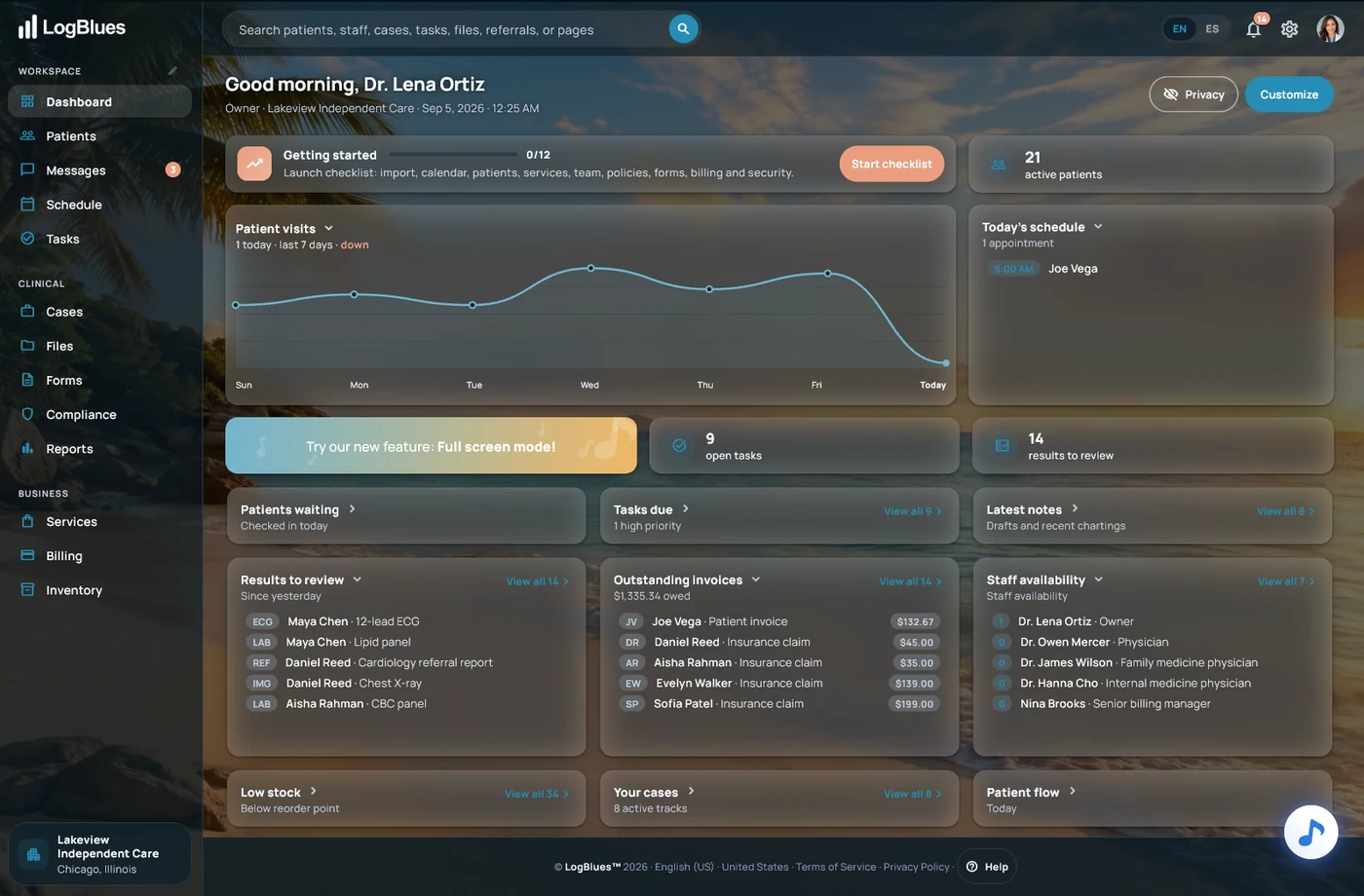
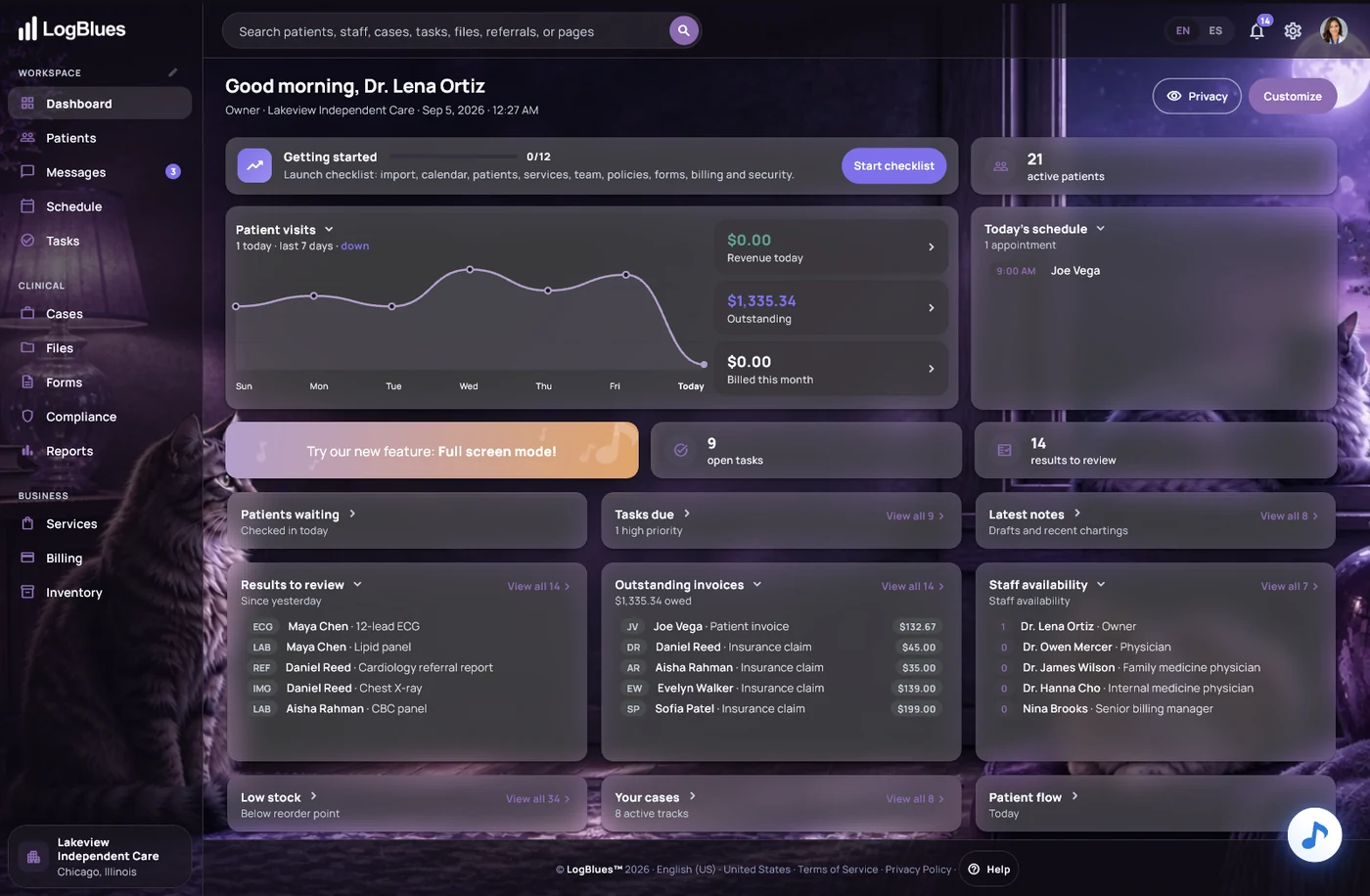
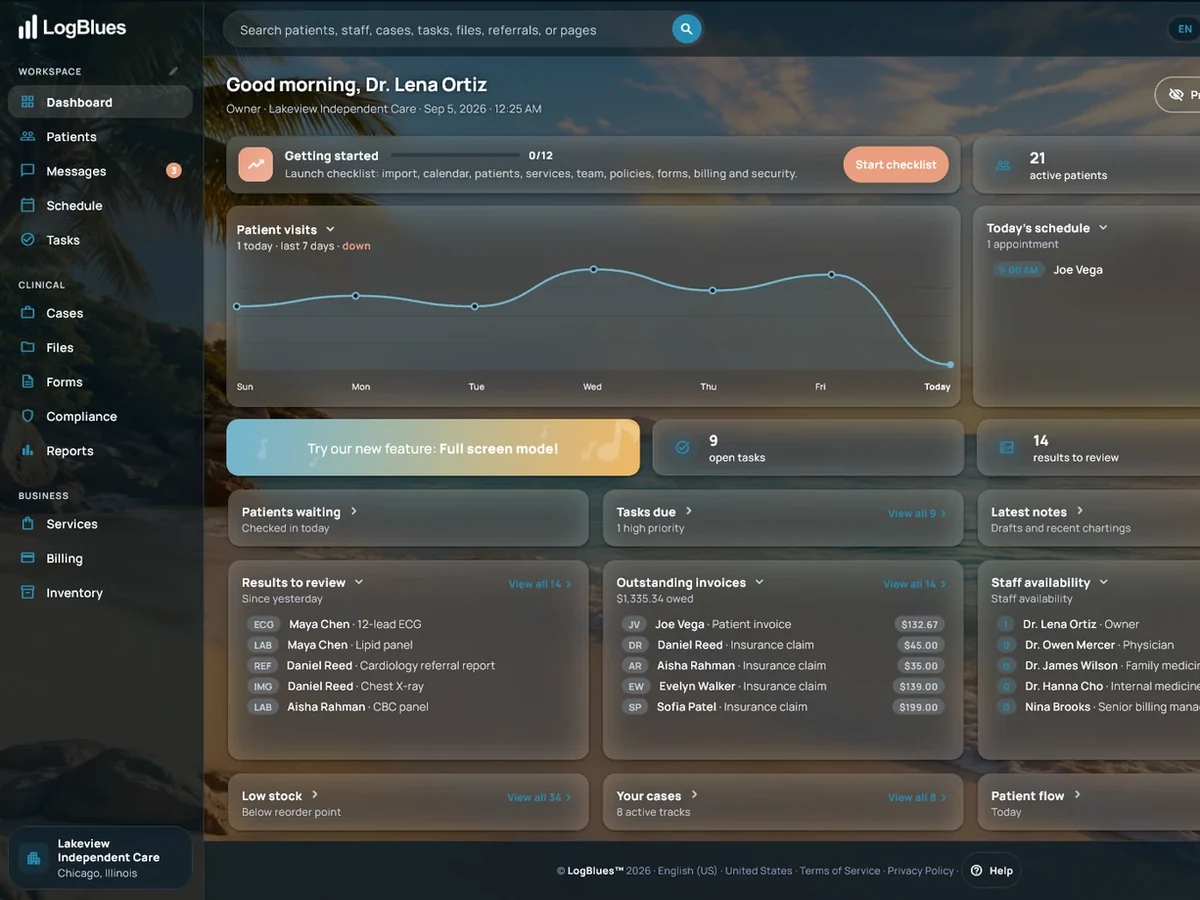
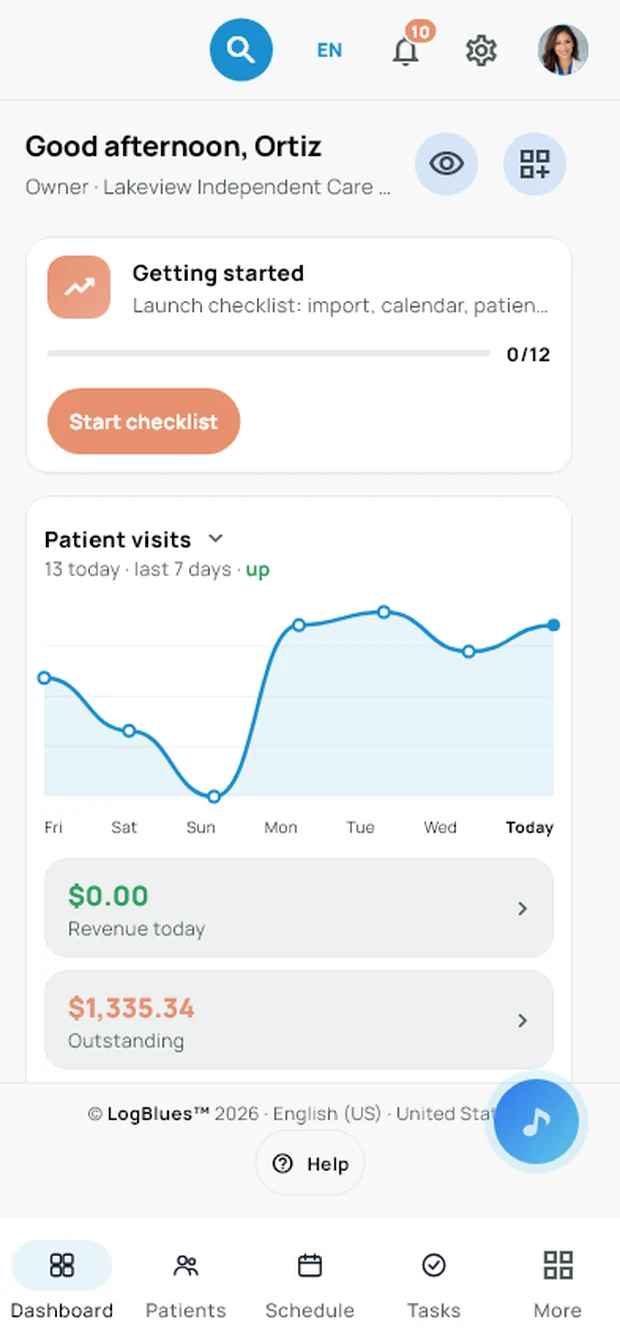
The same workspace at every size — a monitor at the front desk, a laptop in the office, a tablet at the door and a phone in your pocket.
In depth
A page for each of these, written properly.
Everything above is the catalog. Each area below has its own page — what it does, how it behaves, and what it deliberately does not do.
The day at a glance: schedule, tasks due, unfinished notes and the money.
Read more → Getting started with LogBluesA visual guide that helps owners and admins prepare services, prices, staff, policies, supplies, forms, billing and security for the clinic they run.
Read more → PatientsThe chart. Conditions, medications, allergies, history and the timeline.
Read more → SchedulingMulti-provider calendars, conflict checks, reminders and an .ics feed that Google Calendar, Outlook and Apple Calendar can open.
Read more → Visits and notesDocumenting the visit, templates, and notes that carry forward.
Read more → Coding at the visitCPT, HCPCS and ICD-10-CM where the work is, not at month-end.
Read more → Services and clinic pricesWhat the clinic offers, what it charges, and how a completed visit reaches Billing.
Read more → Billing and insuranceInvoices, payments, superbills, 837P claims and 835 remittances.
Read more → Payments and invoicingInvoices, payments by any method, superbills, and balances that agree.
Read more → CredentialingEvery document a payer asks for, the eight steps per provider, and the dates that decide whether you get paid.
Read more → Insurance and claims837P claims, 835 remittances, and denial codes in plain sentences.
Read more → Cases and referralsWork that spans visits, and letters out to specialists.
Read more → Files and resultsScans, results and documents, attached where they belong.
Read more → Tasks and notificationsWhat is owed, by whom, and by when.
Read more → RemindersAppointment reminders raised for your staff inside LogBlues, on the lead days you set.
Read more → AutomationsTen rules that write a task with a name, an owner and a due date — and nothing else.
Read more → MessagingTalking to the team and to patients, on the record.
Read more → FormsBuild one, text it to a patient, read the answers on the chart.
Read more → Patient check-inArrivals recorded without a name called across a waiting room.
Read more → CompliancePolicies, procedures and safety checks, with the proof they were done.
Read more → InventoryStock, reorder points, expiry dates, equipment and its servicing.
Read more → ReportsFigures computed from the records, so they cannot drift.
Read more → Workspace and rolesWho sees what, and how a practice is set up.
Read more → Blues, the assistantRuns on your own machine. Nothing you type leaves the building.
Read more → SecurityWhere records sit, who can reach them, what happens when a laptop is lost.
Read more → AppearanceTwenty-one themes, because staring at one screen all day should not hurt.
Read more →Missing something?
Tell us what your practice needs.
This list is what exists today. If the thing your clinic runs on is not here, write to us — we are a small enough company that it goes to the people who build it.
Send us a noteIs LogBlues an EHR?
Yes. LogBlues keeps the clinic’s own electronic health record: patients, visits and notes, results, files and scans, medications, allergies, conditions, referrals and billing history, all in one workspace on the clinic’s own computer, with a full export whenever you want it. Records come in from a spreadsheet or a calendar file, so a clinic switching over does not start from an empty chart. New to the term? The patient record page explains it in plain words.
How we compare with other EHR and practice management software
Thirteen vendors, side by side: monthly price, added providers, insurance claims, AI notes and where your records live. Every number from their own pricing pages, with the date we checked.