


Included on every plan
Blues works on your computer, not somebody else’s.
The assistant built into LogBlues.
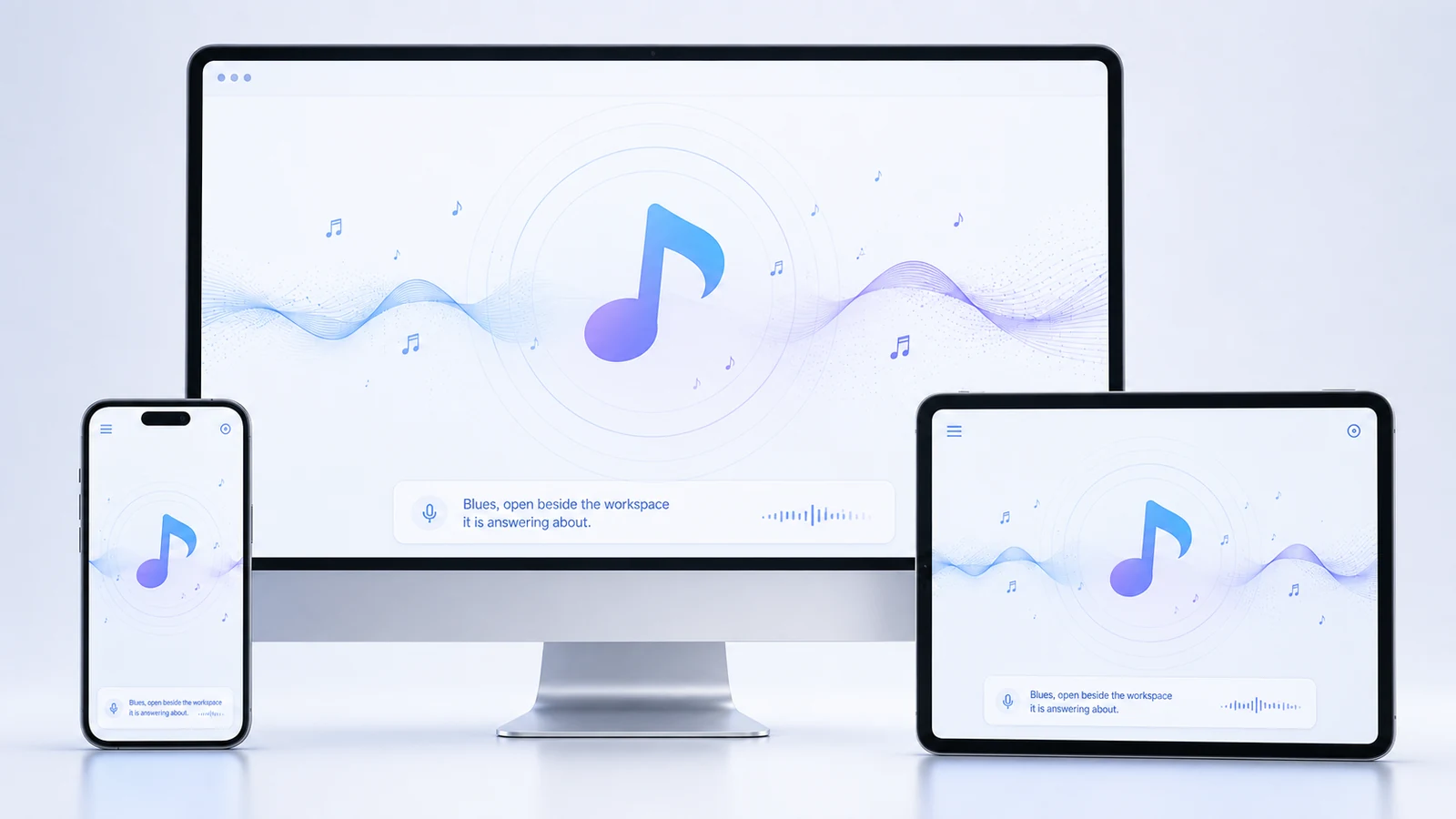
Ask it to find a patient, draft a note, pull up who is overdue, or set up a task. It answers from the records already on your machine — and because the model runs there too, nothing you type is sent anywhere to get an answer.
How it works
The model is on the machine in front of you.
Blues runs an open-weights model locally through a runtime installed alongside LogBlues. There is no API key, no account, and no request leaving the building. Unplug the clinic from the internet and Blues still answers.
That is not a privacy setting you switch on. It is the only way it works.
- No per-message cost. Nothing is metered, because nothing is being bought on your behalf.
- No patient text in a vendor’s logs. There is no vendor in the path.
- No upstream outage. If a model company has a bad day, your clinic does not.
- Open weights. The model is Apache-2.0 licensed, so it cannot be taken away from you.
What you can ask
Things people actually ask it.
Blues reaches the workspace through a fixed set of tools. Here is the whole list, in plain English.
“Who is overdue for a follow-up?”
Blues checks open cases, referrals and recalls against the dates they were due and lists who has gone quiet. It is the question nobody has time to ask on a Tuesday, which is exactly why things slip.
“Find me everything on this patient.”
Search across patients, visits, notes, files, cases and messages at once, and only across the records your role is allowed to see. Blues cannot show you a chart you could not open yourself.
“Book a follow-up in three weeks.”
Blues opens the real appointment form with the patient, provider and time filled in, checks it against the schedule for a clash, and waits for you to confirm. It does not book anything on its own.
“Make a task for the front desk to chase this.”
Owner, due date and priority, drafted from what you said. It appears in Tasks like any other, and the person it lands on gets a notification.
“Draft the notes from this meeting.”
Turn what was discussed into structured meeting notes attached to the right place, ready to edit before anything is saved.
“Get this patient ready for check-in.”
Pull together what the visit needs — the reason for the appointment, outstanding forms, anything unresolved from last time — so the room is ready before they are.
“Build me an intake form for this.”
Generate a form from a description, using your clinic’s letterhead, which you then review and keep or discard.
“How is the clinic doing this week?”
A read across operations — visits, outstanding balances, low stock, equipment due for service — without opening five screens to assemble it.
“Send this to Dr. Okafor.”
Drafts an internal message to a colleague, which you review before it goes. Messages outside the practice are a different matter — that tool is built but not switched on, so Blues cannot send anything to a patient today.
“Where are this patient’s documents?”
Blues points you at them; it does not hand the file over. Fetching a document on your behalf is scaffolded and not switched on yet, and protected results stay behind the same identity check either way.
The part that matters
What Blues will not do.
The limits below are enforced by the software, not requested in a prompt. A model cannot talk its way past them, because the model is not the thing holding the door.
-
1
It cannot write to your records on its own
Every action that changes something — booking, tasking, messaging, saving a form — is rebuilt by LogBlues from your confirmation, not executed from the model’s output. If you do not press the button, nothing happened.
-
2
It cannot see past your role
Blues is handed the same permissions you have. A front-desk login asking about a clinical note gets the same answer the screen would give: not available to you.
-
3
It does not diagnose, prescribe or decide
Blues helps you find, draft and organize. Clinical judgement is yours. Where it would be easy to imply otherwise, the software declines rather than hedging.
-
4
It does not quietly keep what you typed
The audit trail records that a tool ran and when. It does not store your prompt text or the model’s reply, so the record of Blues’ use is not itself a second copy of the conversation.
-
5
It says when it cannot
Ask for something outside its reach and Blues says so plainly. It does not report that a thing is done when it is not, which is the single most damaging thing an assistant in a clinic could do.
Personality
It has moods, and that is deliberate.
Blues is not a chirpy mascot and not a blank box. It has a register you can set, because the assistant you are talking to at 7am between patients is not the one you want writing a letter to a specialist.
The bet behind it is simple: people use tools they do not dread, and a clinic runs better when the software is not the worst part of the day.
It has range.
One voice. Different jobs. Nothing leaves the building.
New · Full screen
The full AI mode.
One button opens Blues across the whole window. Everything it can do is laid out on the left, each entry a tap away; the conversation gets the right; and underneath sits a microphone. Dictate a request and Blues types it and does it, or record a whole conversation and get a draft transcript you can file into a patient’s record. Speech becomes text on your own computer, and the audio is deleted the moment the words are back.
Everything full screen can do →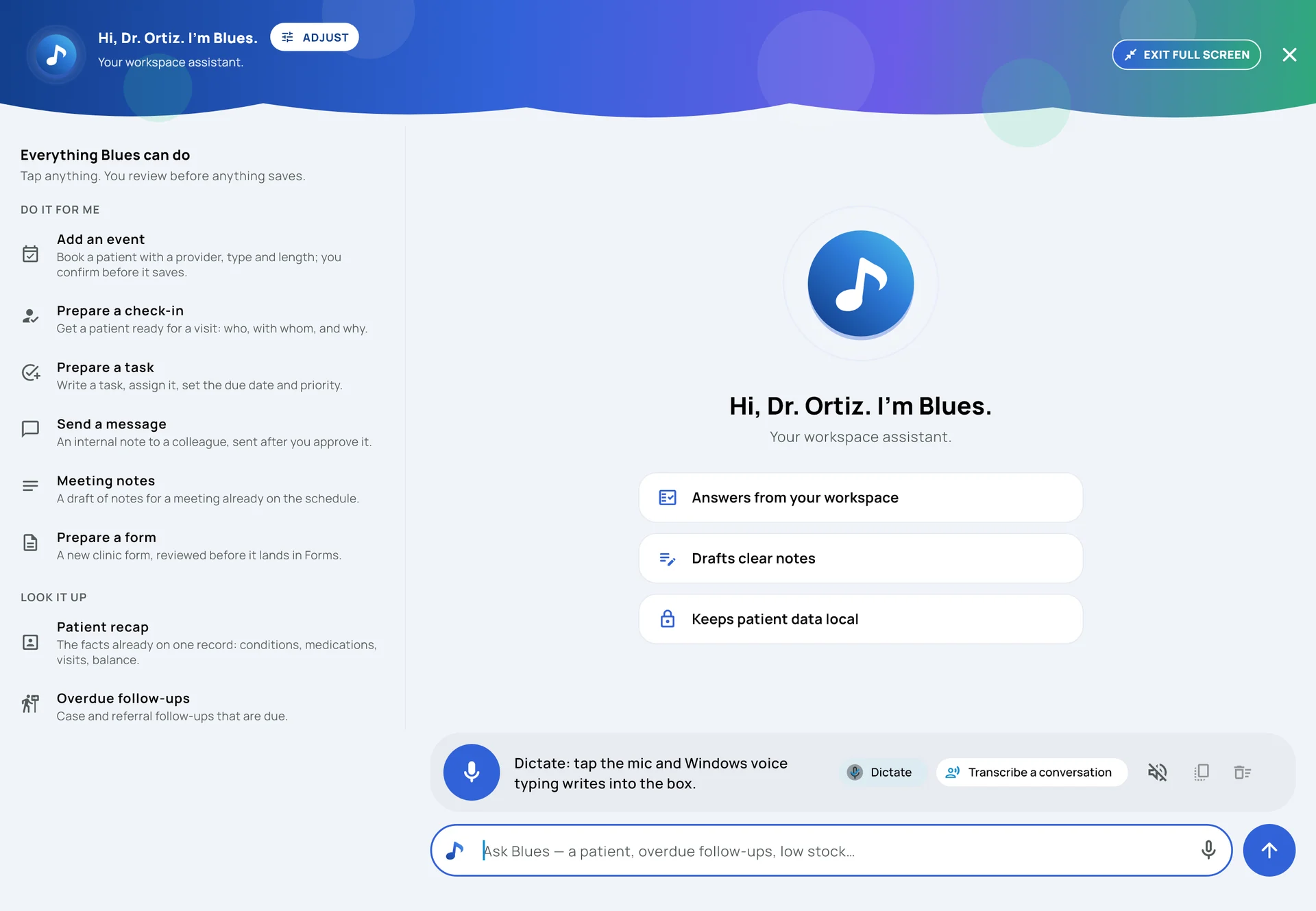
Getting it
There is nothing to buy.
Blues is included on every plan, from $50 a month. Not a tier, not an add-on, and not charged by the message — because it does not cost us anything to run on your computer.
See the plans Everything else in LogBlues →Want the reasoning rather than the feature list? Why the AI stays in the building explains why Blues runs on your computer instead of ours, and why LogBlues covers the rest of it.